When pre-sales handed over a qualified lead, managers wanted to know whether the agent had called, whether the call connected and when the buyer was due to hear back. Often, the agent knew the answer while Salesforce still showed the last status someone had entered.
For agents, each follow-up meant opening a lead, switching to the dialer and returning to Salesforce to find the right place to update the record. That was manageable for a single call. After several calls in a row, it was easier to postpone the updates and harder to remember which buyer wanted a callback on Friday.
What the developer tried
Computer telephony integration
The developer evaluated CTI for call logging, recordings and transcripts. Some options could also suggest next steps. Agents still needed a quick way to capture what mattered after the call. A transcript might preserve a buyer’s questions about a payment plan, while an agent’s note could explain that the buyer wanted to speak with family before booking a viewing.
The team also considered what buyers would see. In configurations that used a virtual caller ID, a buyer could receive a call from one number and a WhatsApp message from another. Some setups bridged separate call legs for the agent and buyer, adding a step to call setup. The developer wanted agents to keep calling from the mobile numbers their customers already knew.
The standard Salesforce mobile app
Agents could already tap a number and use the phone’s native dialer. In the setup the developer evaluated, handing the call off to the dialer did not automatically bring connection status or duration back into Salesforce. Agents also had to navigate back to the lead to record what happened, then open the next record and repeat the process.
What we built
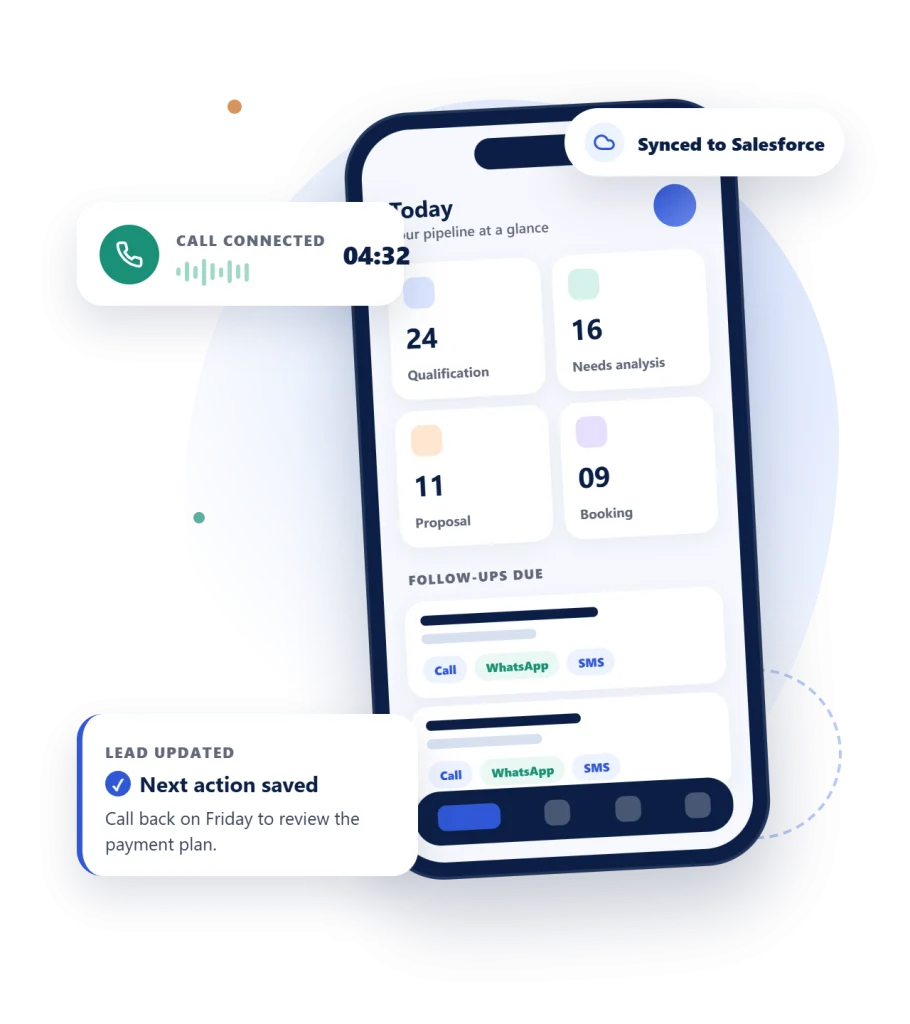
We built a mobile sales app with Salesforce sign-in and a focused view of leads, pipeline stages and upcoming tasks. Agents could start a call, WhatsApp conversation or SMS from the lead list. Phone calls went through the device’s native dialer using the agent’s usual mobile number.
After a call, agents could update the lead and record the next action before moving on. For example, an agent could note that the buyer wanted to review a payment plan and had requested a Friday callback. When the follow-up came due, the agent had enough context to continue the conversation. The solution was later extended to integrate with voice AI bots.
What managers needed to see
Managers could review lead updates and next actions in Salesforce. That gave them more context than the pipeline stage alone. A lead might still be at the same stage even after the agent had spoken to the buyer and scheduled another call.
Call attempts, connection status and duration were also part of the reporting requirement. Automatic capture of those details depends on the device and calling setup. A connection can also be voicemail, so the agent’s note still matters when a manager needs to know whether a conversation took place and what the buyer agreed to do next.
Why the sales workflow left out recordings
The developer saw the most value in recordings during pre-sales. At that stage, the team handled a higher volume of calls, and recordings helped managers review common objections, assess campaign response and coach agents on initial conversations.
Once a qualified lead reached sales, the client was comfortable using call activity and agent notes. The priority was to help agents follow up while the conversation was fresh and give managers a record of what was due next.