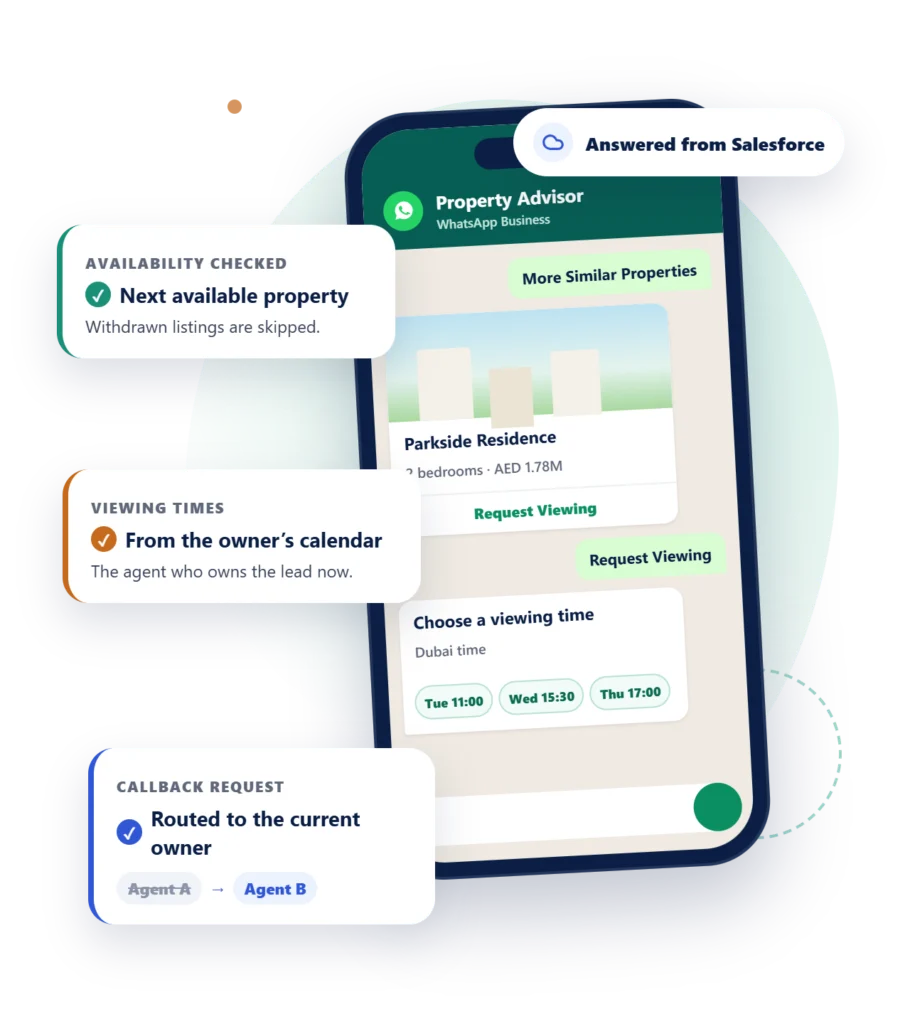
A buyer taps More Similar Properties on WhatsApp. Since the first recommendation went out, one listing has been taken off the market and another has become available. Moments later, the same buyer asks for a viewing. To answer both requests, the agency needs the latest listings and the calendar of whoever owns the lead now.
For one real estate agency, WhatsApp was already where buyers wanted to talk. The challenge was handling replies with the information the agency kept in Salesforce, even when that information changed after the original message was sent.
Where the agency was losing time
Two-way messaging added setup and cost
The agency wanted to send a campaign and let buyers continue the conversation in the same chat. Some of the tools it evaluated could handle replies, but passing a conversation from automation or a shared inbox to the right agent meant configuring routing and session transfers. In some cases, those features required a higher-priced plan. And when a buyer replied “I’m interested in this one,” the agent still needed to see which property the buyer meant.
An external platform created another place to manage CRM data
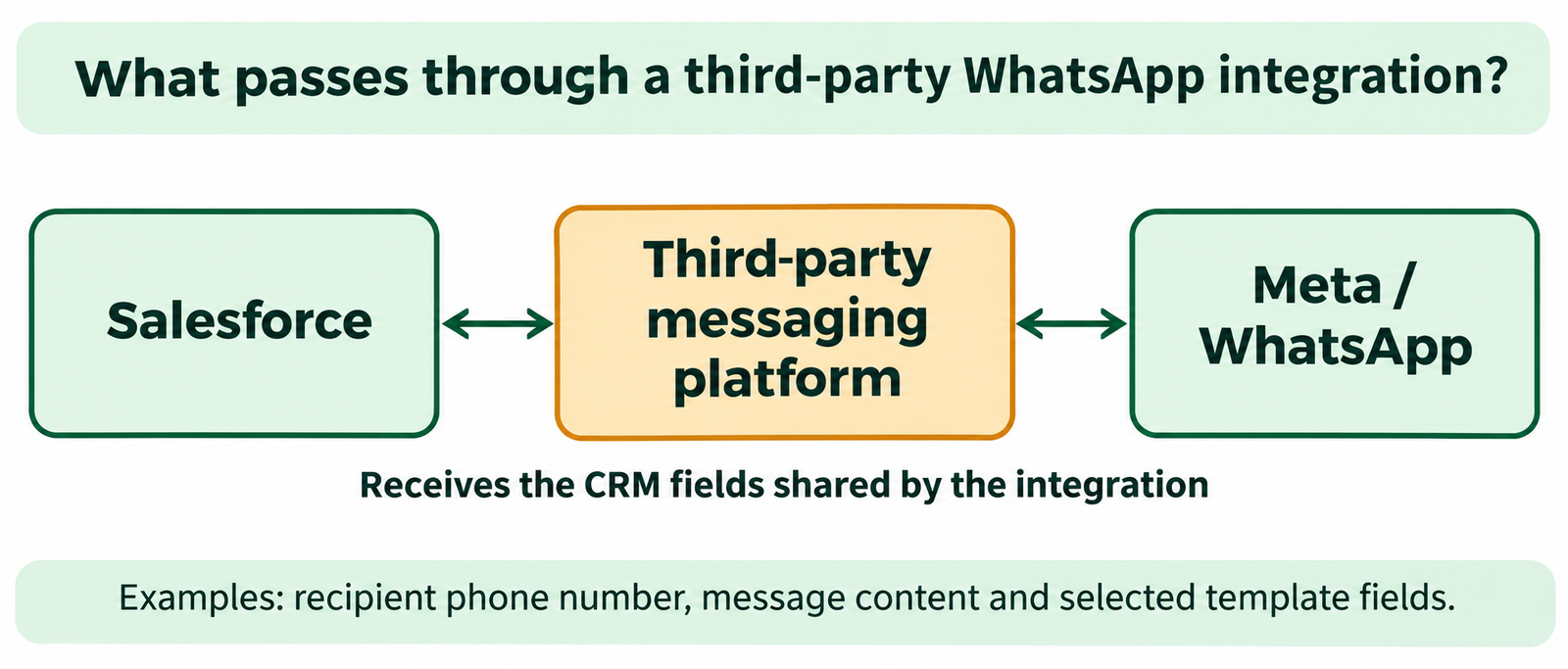
In a setup with an intermediary messaging platform, the provider receives the data the integration passes to it. That can include the buyer’s phone number, message content and values inserted into a template. A provider can also query Salesforce at the time of a reply, but the agency would have to maintain those API lookups and keep the external workflow aligned with its CRM rules. Checking a listing’s availability and finding an agent’s free time are two different integrations to support.
Template setup meant another handoff
Marketing managed access to the agency’s Meta account. When sales wanted a new WhatsApp campaign, the team sent the copy to marketing, coordinated revisions and waited for the template to be ready. The agency wanted sales to prepare campaigns using approved templates more directly, while marketing kept oversight of new and revised templates.
What we changed with MsgFlowX
We helped the agency run WhatsApp workflows from Salesforce with MsgFlowX. A buyer’s reply could be tied to the relevant CRM record, and Salesforce could look up the latest information before deciding what to send or which agent should respond. The agency kept its buyer records, listing inventory and decision rules in Salesforce without maintaining a separate CRM copy in an intermediary messaging platform. WhatsApp still carried the messages and the information included in them.
Sales could prepare campaigns using existing approved templates with fewer handoffs. Marketing retained control of Meta access and oversight of templates that needed approval.
Three decisions Salesforce can make when a buyer replies
Find the next available property
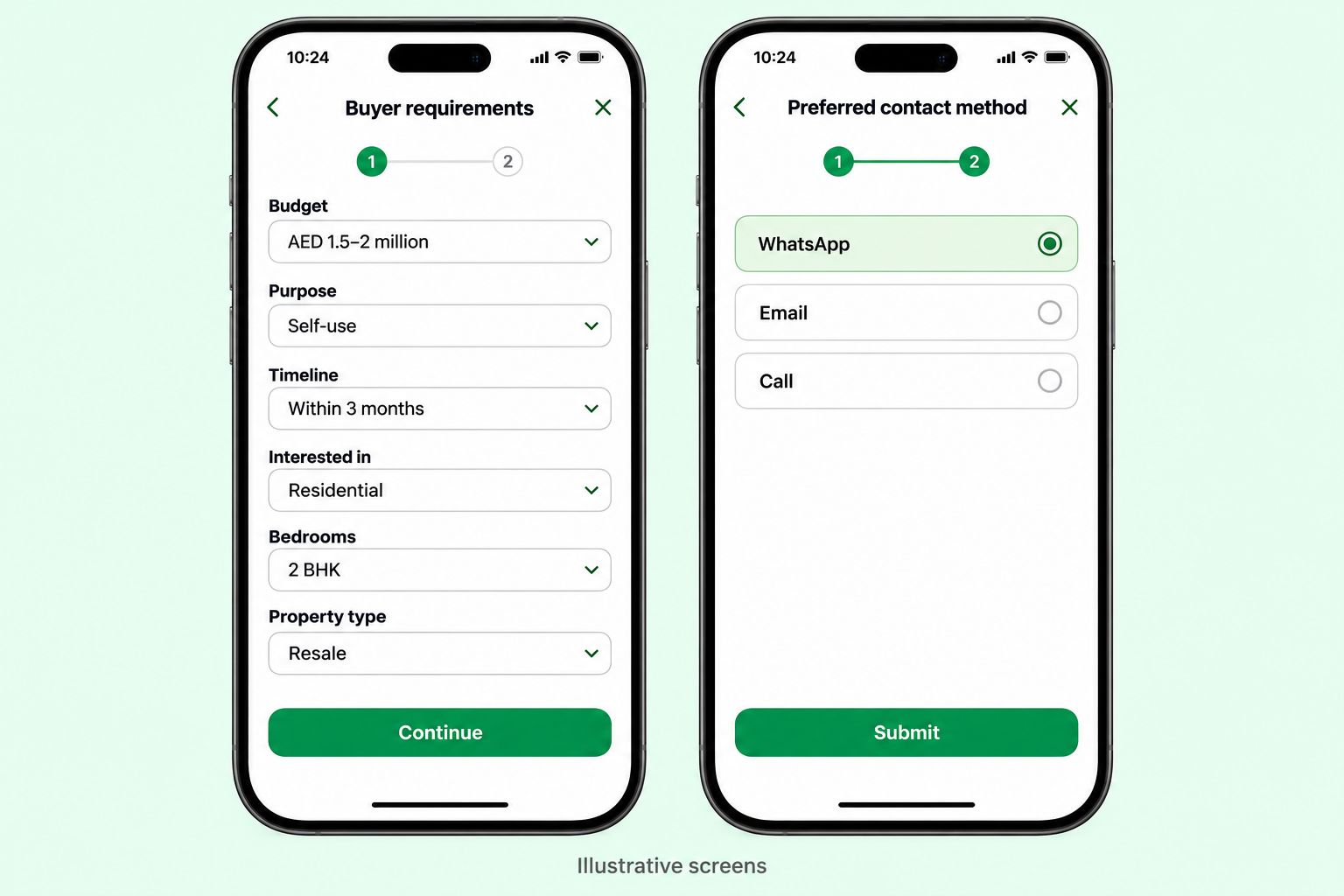
In the Buyer Welcome Flow, the buyer can share their budget, purchase purpose, timeline, property requirements and preferred contact method. In the example below, the buyer wants a two-bedroom resale property within AED 1.5–2 million and prefers to continue on WhatsApp.
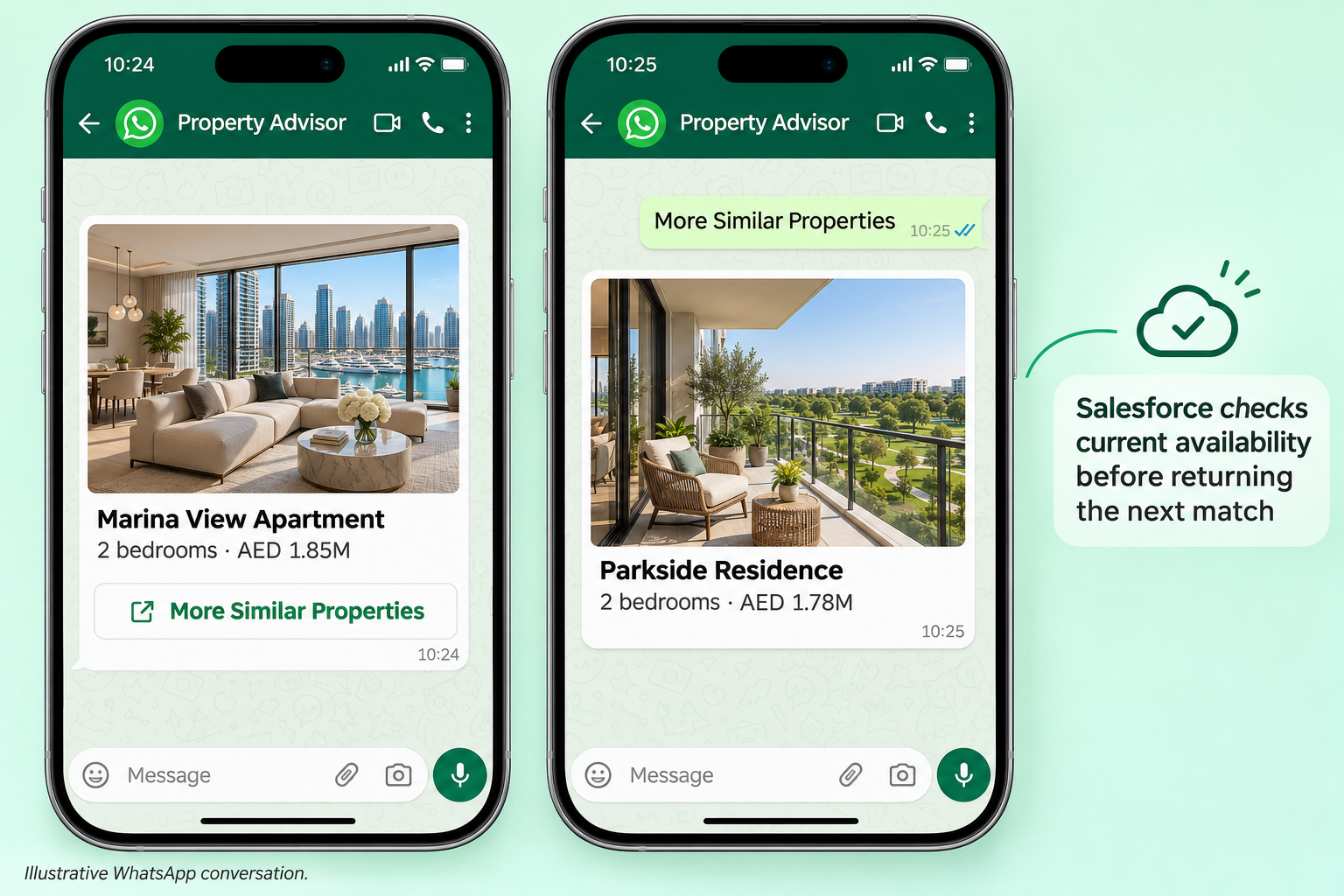
After the first recommendation, the buyer taps “More Similar Properties.” Salesforce can check the preferences on record and look for another listing currently marked available. If a listing was withdrawn after the first message, the next reply can reflect that change. When there is no suitable alternative, the workflow can pass the request to an agent.
Offer viewing times from the current lead owner’s calendar
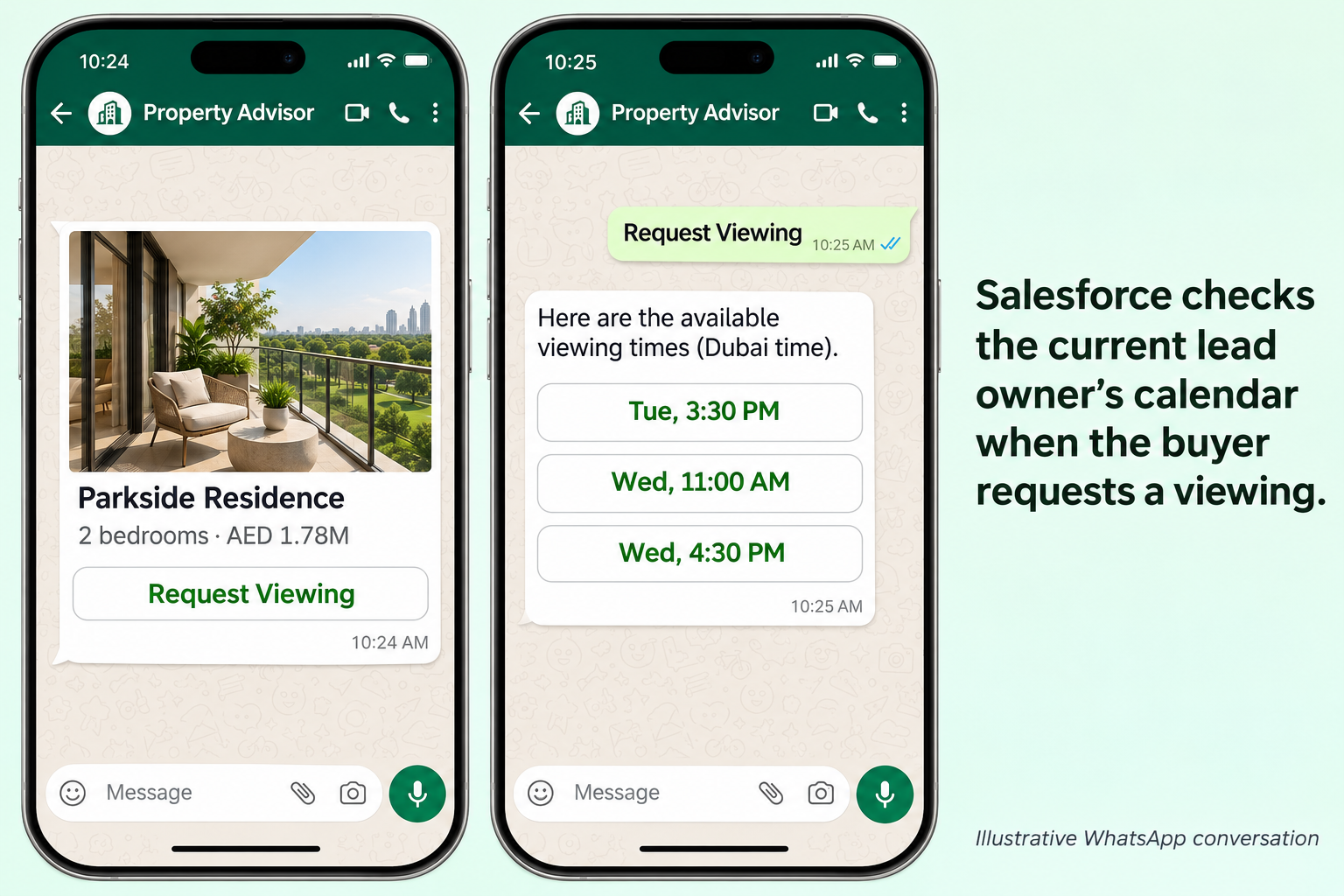
The buyer taps “Request Viewing” on the second property. Salesforce can check who owns the lead at that moment, then use the availability recorded in that agent’s calendar to offer viewing times. If the lead changed hands since the recommendation went out, the workflow uses the new owner’s calendar. The times offered are options for the buyer to choose from.
Send a callback request to the agent who owns the lead now
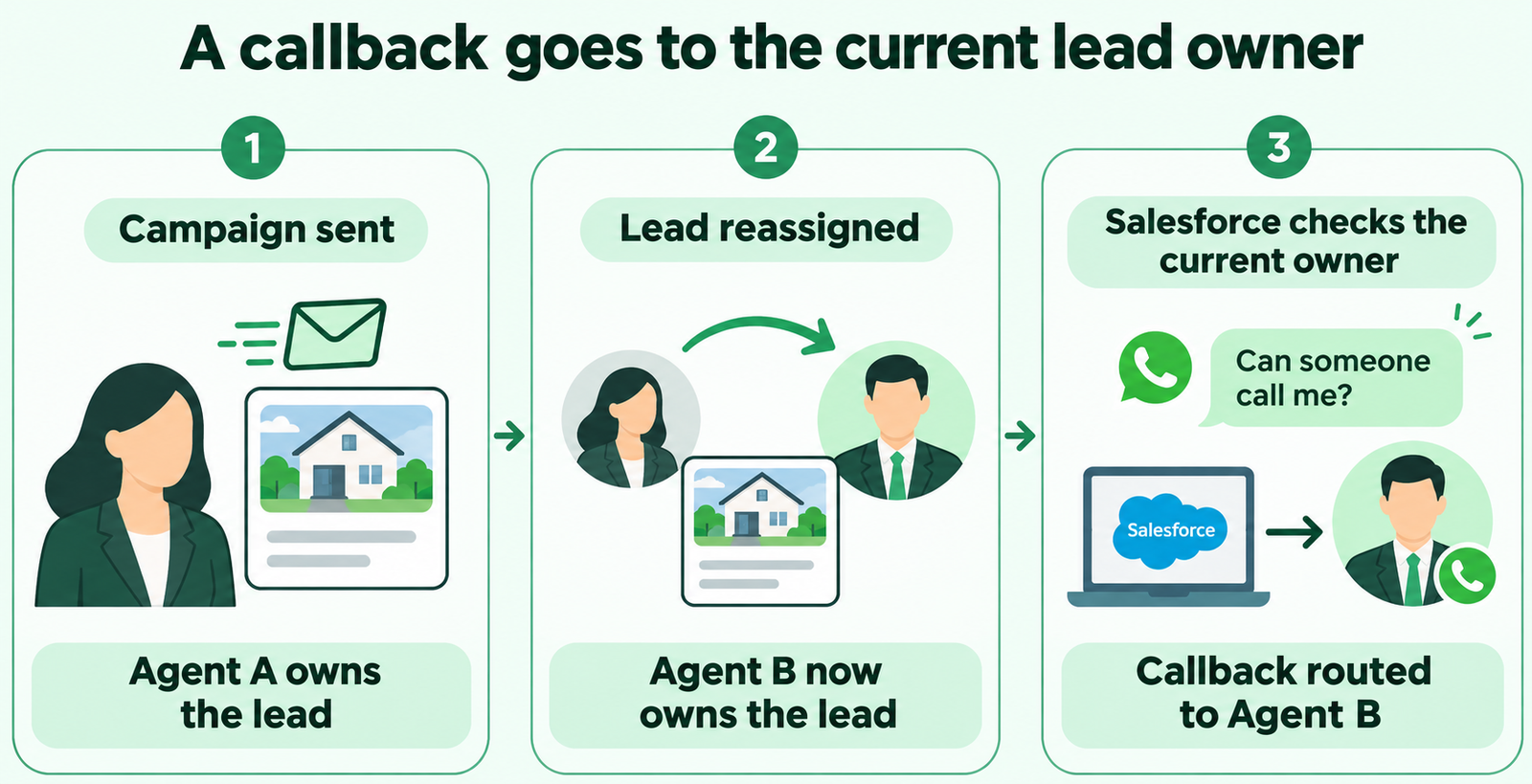
Agent A owned the lead when the campaign went out. The next day, after the lead had been reassigned to Agent B, the buyer replied, “Can someone call me?” Salesforce can look up the current owner when that message arrives and route the callback request to Agent B with the relevant conversation in view.
What changed for the agency
Sales could prepare campaigns with approved templates, and agents could pick up buyer replies with the relevant Salesforce record in front of them. The same setup gave the agency a way to base its next action on the state of the CRM when the buyer replied. A single WhatsApp conversation could use a fresh inventory check for one reply, the current agent’s calendar for the next, and live lead ownership to route a callback.